

Synap in 90 seconds
What is Maximem Synap? Synap is a managed memory layer for AI agents. It ingests conversations and documents, extracts structured knowledge (facts, preferences, episodes, emotions, temporal events), and serves ranked, scope-aware context back to your agent at retrieval time.When should I use it?- You’re building an agent that needs to remember users, customers, or organizations across sessions.
- You want structured memory (entities, preferences, episodes) without running a vector DB or building a retrieval pipeline.
- You need multi-tenant memory scoping (per-user, per-customer, per-org) out of the box.
Start the 10-minute quickstart
Install, create an instance, ingest your first memory, and retrieve it, in 10 minutes.
Try Synap in the live playground
Spin up a working memory agent in the browser. No install, no API key needed.
Quickstart
Zero to working memory in 10 minutes: install the SDK, create an instance, ingest and retrieve.
AI coding agents
Let your AI coding agent wire Synap into your stack. Works with Claude Code, Cursor, Codex, and more.
Setup & Integration
Install, authenticate, and wire Synap into FastAPI / Flask / Next.js / Django.
API Reference
Full Python SDK reference: initialization, ingestion, context fetch, compaction, error handling.
AI Integrations
Drop Synap into LangChain, LangGraph, Vercel AI SDK, CrewAI, LiveKit, MCP, and 14 more.
Guides
Hands-on walkthroughs: first integration, multi-user scoping, production checklist, migration.
Core Concepts
Memory scopes, entity resolution, the ingestion-to-retrieval lifecycle, MACA, and use-case markdown.
Dashboard
Manage instances and memory architecture from the Synap Dashboard.
Maximem Synap works with popular Agent Frameworks
Pick your stack: each tile jumps straight to the integration you’ll actually use, so you skip the raw-SDK steps you don’t need.LangChain
LangGraph
Vercel AI SDK
OpenAI Agents
CrewAI
LiveKit
Claude Agent SDK
Pipecat
Mastra
No-code (MCP)
No framework / direct SDK
See all 19 integrations
Choose your path
Three common journeys through these docs. Pick the one that matches where you are.Hobbyist / first agent
Framework developer
B2B platform team
What can you build
Synap handles the hard parts of agent memory so you can focus on building great AI experiences:- Personalized chatbots that remember user preferences, past interactions, and evolving context across sessions
- Context-aware support agents that recall customer history, previous tickets, and account details without re-asking
- Agents that learn over time by extracting and retaining facts, preferences, emotions, and temporal events from every conversation
- Multi-user, memory-scoped applications where each user, customer, or organization has isolated, structured memory boundaries
How it works
Three calls, end to end:Three layers
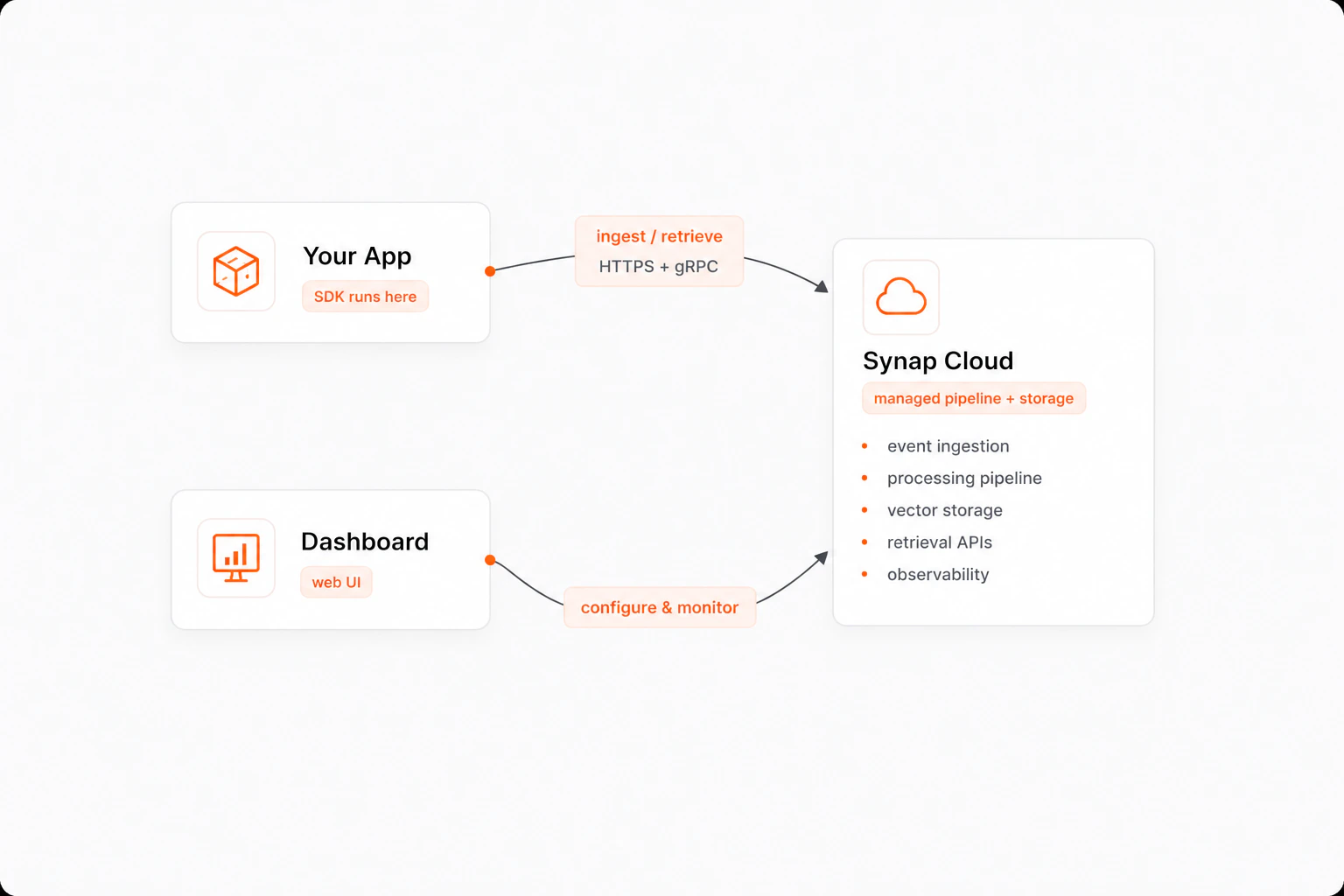
Synap is async-first. The SDK uses Python’s
asyncio for non-blocking operations, and the ingestion pipeline processes memories asynchronously so your application stays responsive.